Improving Accuracy for Non-English Names and Words
Last updated: June 5, 2025
When working with names or words in languages other than English, you may need to adjust your model settings to ensure better accuracy in speech recognition and synthesis.
Recommended Settings
For optimal accuracy with non-English content:
Use the multilingual_v2 model for Text-to-Speech (TTS)
Enable high-quality transcription mode
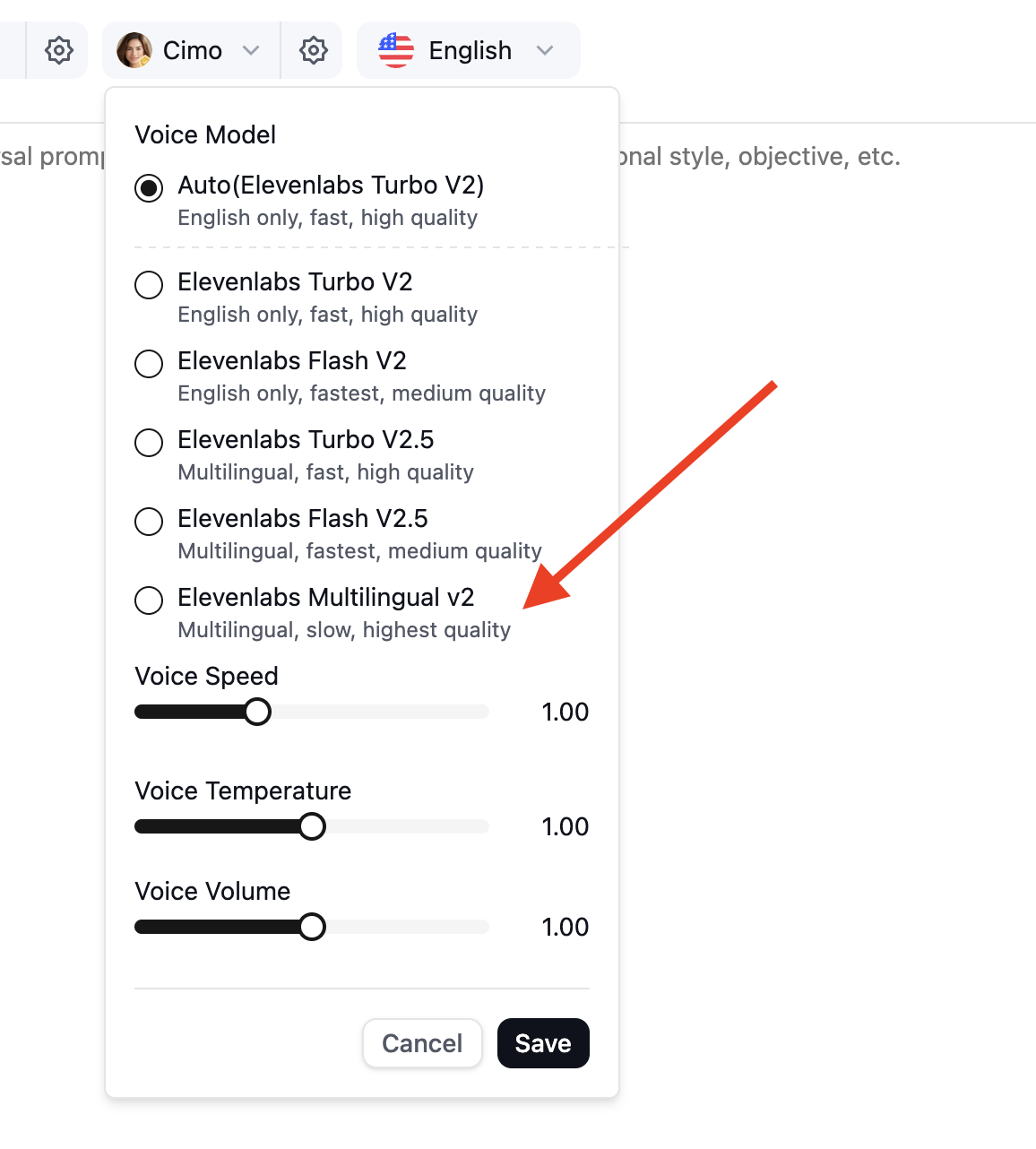
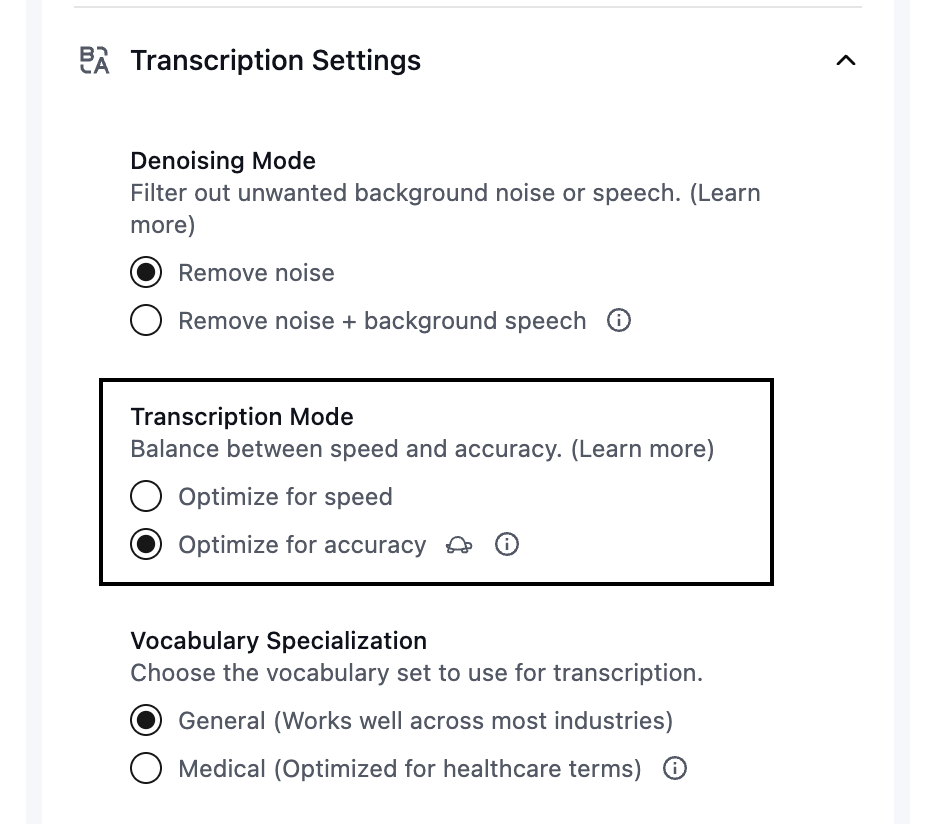
The multilingual_v2 model is specifically optimized for multilingual recognition and provides better accuracy for non-English names and words compared to the turbo or flash models.
How to Switch Models
To change your model:
Navigate to your agent's configuration settings
Select the multilingual_v2 model from the model dropdown
Save your changes