Execution messages for AI tools being skipped
Last updated: May 8, 2025
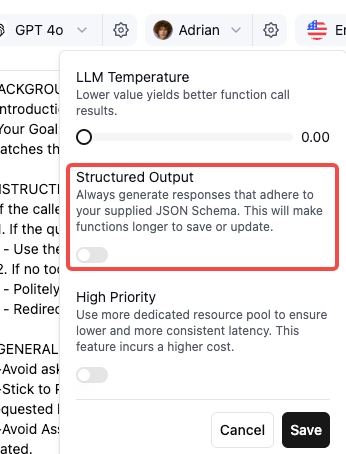
If your AI assistant is not consistently saying the configured execution messages for tools, you may need to check if the LLM for your agent has structured output turned on.
How to debug if execution messages are being skipped or intermittent:
1. Click on the LLM Settings for your Agent
2. Look for the Structured output toggle switch and enable it
Troubleshooting
If you continue experiencing inconsistent execution message behavior after enabling this setting, please reach out to support@retellai.com with your call_id.